Start with your memory, then choose the shot
Keep your original dream note before editing it for video. A dream may contain several places, people, and jumps in time. For a first attempt, pick the single moment you most want to see: the train overhead, the door opening, or the first second of flight.
Describe what is visible and what moves. “A strange journey” gives little visual direction; “a blue-lit train gliding above an empty platform” gives a setting, subject, and action. Add a feeling only if it helps express the atmosphere you remember.
If you choose a camera movement or visual style afterward, treat it as creative direction. It was not necessarily part of the dream. The dream journal template has separate space for the memory and later additions.
Written inspiration · Not generated results
Six dream video prompt examples
These fictional scenes were written for this guide. They are not customer dreams, tested output promises, or interpretations. Adapt them to your own idea, or use the structure with a completely different memory.
01
Flying over a sleeping city
I drifted above a quiet city at blue hour. The rooftops moved gently like waves while one warm window stayed still below me. I felt light and curious.
The drifting person is the main action. The moving rooftops supply one impossible detail without adding a second story.
02
A train in the clouds
I stood alone on an empty station platform. A blue-lit train glided slowly through the clouds above me, and I tilted my head to follow it. Everything felt strangely calm.
A stationary person and one moving object make the scene easy to describe. Keep the station and train in the same moment.
03
An ocean behind a bedroom door
I opened my bedroom door and saw a still ocean where the hallway should have been. A small silver boat drifted toward the doorway without any water entering the room.
The doorway connects the ordinary setting to the impossible one. There is no need to add a storm, a chase, or another location.
04
A childhood street made of paper
I walked down a street that felt like the one I grew up on. The houses folded slowly like paper as I passed, but a red bicycle leaned motionless against a fence.
The still bicycle gives the scene a visual anchor. If a real place is uncertain in your memory, keep the wording uncertain.
05
An underwater library
I floated between tall library shelves underwater. One open book drifted past my hands as soft light moved across the ceiling. I felt peaceful rather than afraid.
A clear mood helps describe the atmosphere. The book provides a small movement instead of many competing events.
06
A staircase that becomes a forest
I climbed a familiar staircase. The last step became a mossy path, and trees leaned aside as I walked into a softly glowing forest.
One transition is the focus. For a shorter result, begin on the mossy step rather than describing the entire climb.
How to revise a description that feels too busy
Consider this draft: “I flew over a city, met a friend, went underwater, opened a door, and found my childhood home.” It contains several possible films. Choose one scene before adding more detail.
A narrower version could be: “I hovered above my childhood street at dusk while the houses slowly lifted into the air.” The revision gives the clip one place and one visual event. It is still an idea to try; generation can interpret details differently.
- Remove extra scene changes. Save other moments as separate ideas.
- Choose the essential subject. Decide whether the person, object, or place matters most.
- Describe one movement. Start with drifting, opening, turning, rising, or another concrete action.
- Keep the detail that makes it yours. A particular light, object, or atmosphere can matter more than a long list of style words.
What to expect in WatchDreams
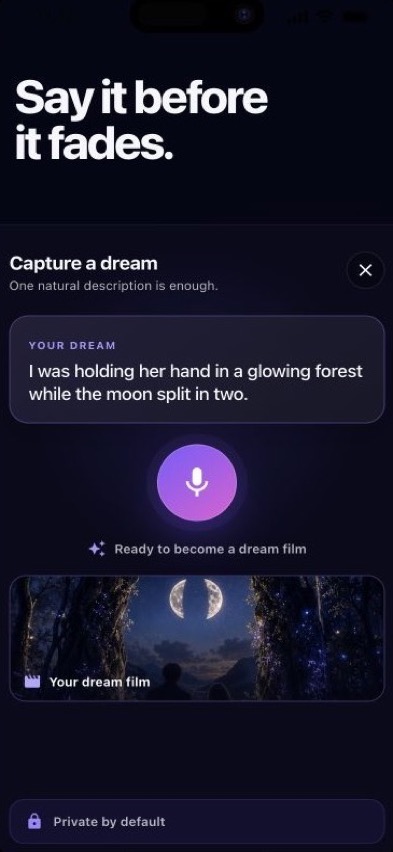
You can speak or type a description, review it, and optionally add people or reference media. WatchDreams creates a short cinematic AI video and shows generation progress. The result is a creative rendering, not a factual reconstruction; details can change and results may be imperfect.
Generation uses your available allowance or purchases. Do not assume repeated attempts are free. Review what you choose to send, especially names, images, and other personal details. The local-first library has no public feed, and sharing is a separate action. Read the privacy details.
Common questions
Can I use a short sentence?
Yes. Start with the central scene. More words are useful only when they add a detail you want to communicate.
Do I need technical camera language?
No. Natural language is enough to begin. “I watched the train move above me” can be clearer than a list of lens and camera terms.
Will the video look exactly like my dream?
No exact match is promised. The app works from your description and any chosen references; it cannot access or record what happened while you slept.
Are these dream meanings?
No. Flying, doors, trains, and forests are used here as creative scenes. WatchDreams does not interpret symbols or provide medical, psychological, or sleep advice.