A practical guide · By WatchDreams

How to Keep a Voice Dream Journal on iPhone.

Start with one detail you remember. Say it aloud, check the words, and keep the memory private. If you want to see it differently, WatchDreams can turn your description into a short AI video.

WatchDreams is available for iPhone and iPad. Free to download with in-app purchases.

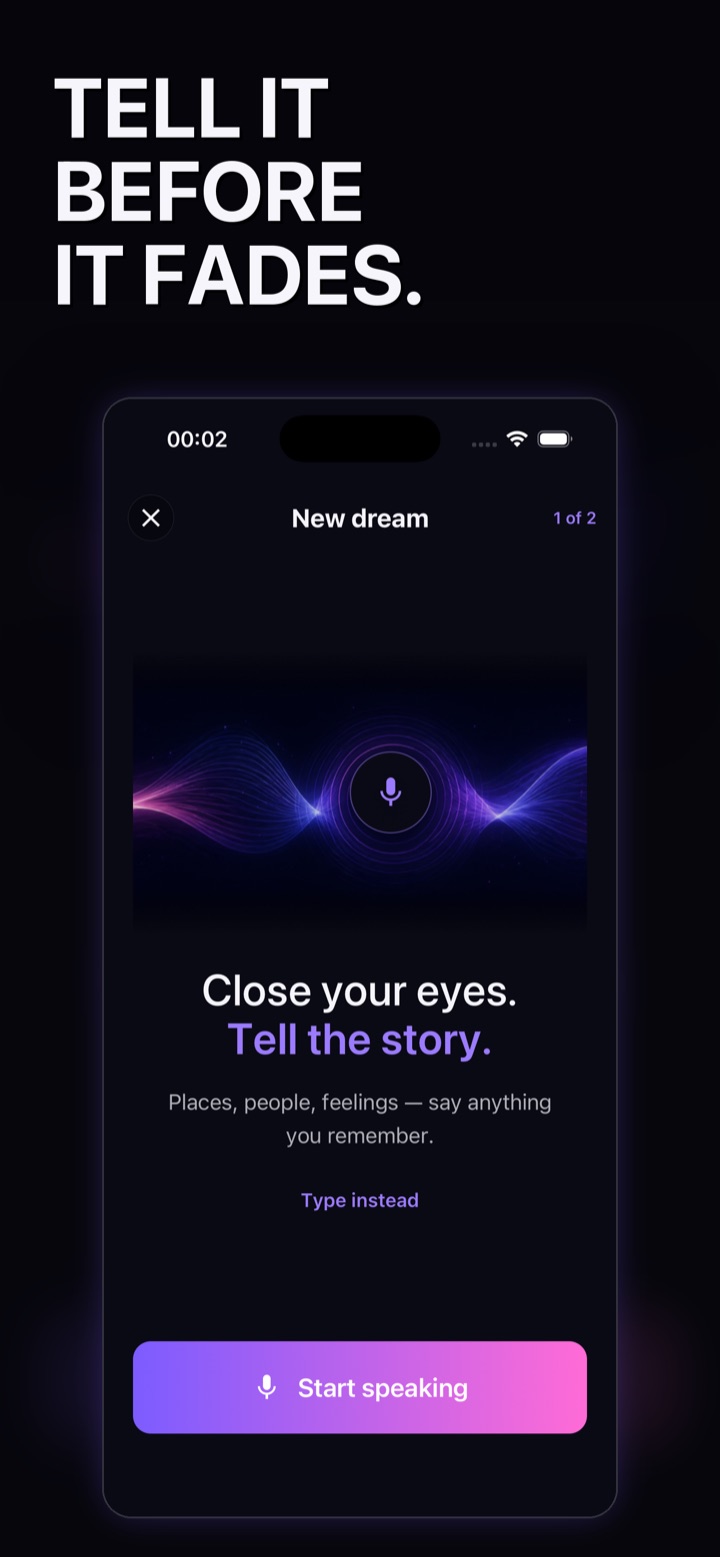
WatchDreams capture screen with voice recording and Type instead
Authentic WatchDreams capture screen.

01 · Remember and record

Say the detail you still have.

You do not need a complete story. Start with the place, a person, a feeling, or one unusual moment. Describe what you actually remember; leave gaps as gaps.

In WatchDreams, open the new-dream capture screen and use the voice control. Allow microphone and speech access when your iPhone asks. If speaking is inconvenient or permission is unavailable, use the text option.

An example from our demonstration

“I was holding her hand in a glowing forest while the moon split in two.”

A short note like this already captures a person, a place, and the surprising detail. You can add how it felt without trying to explain what it means.
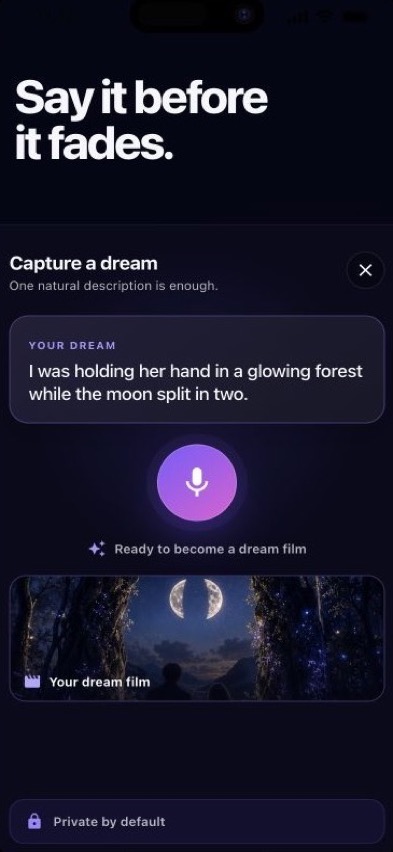
WatchDreams showing the glowing forest dream description
Our sample dream, captured as text.

02 · Review the transcript

Check that the words match your memory.

Read the captured description before continuing. Correct a mistaken name or missing detail, and remove anything you do not want included. Voice capture turns what you say into the text used for your dream.

Keep this a small habit: one remembered scene is enough. On a morning when you recall nothing, you do not need to invent an entry.

For a written starting point, use our free dream journal template and filled example. Keep your original note separate from any creative additions.

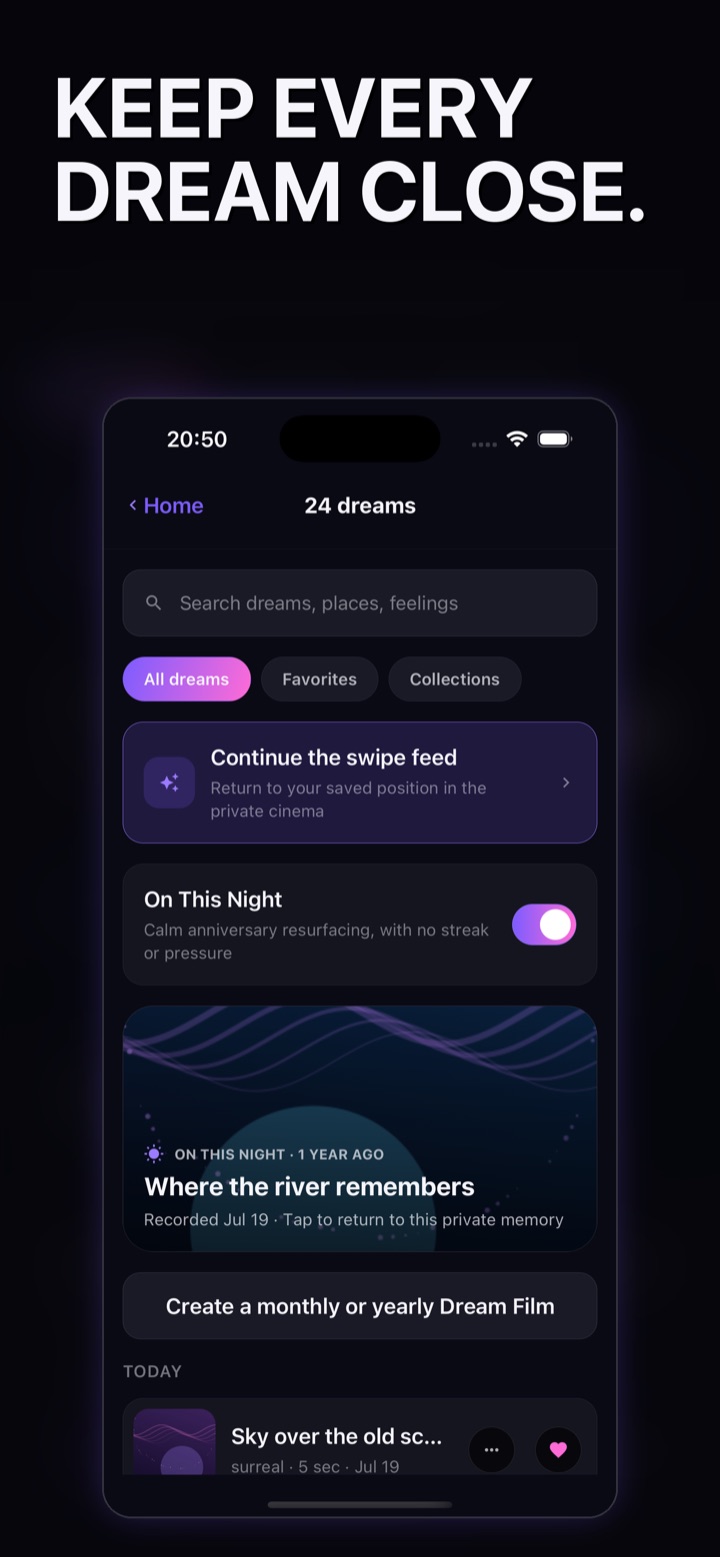
WatchDreams private library with search, favorites, and collections
Your private, local-first dream library.

03 · Keep it private

Choose what stays with you.

WatchDreams keeps its local-first library on your device and has no public dream feed. Keep descriptions limited to what you are comfortable using. When you request AI video generation, the necessary text and any selected reference media are sent through the generation service.

Before sharing a finished video, review its cover, captions, and export options. Sharing is a separate choice.

Read the privacy details
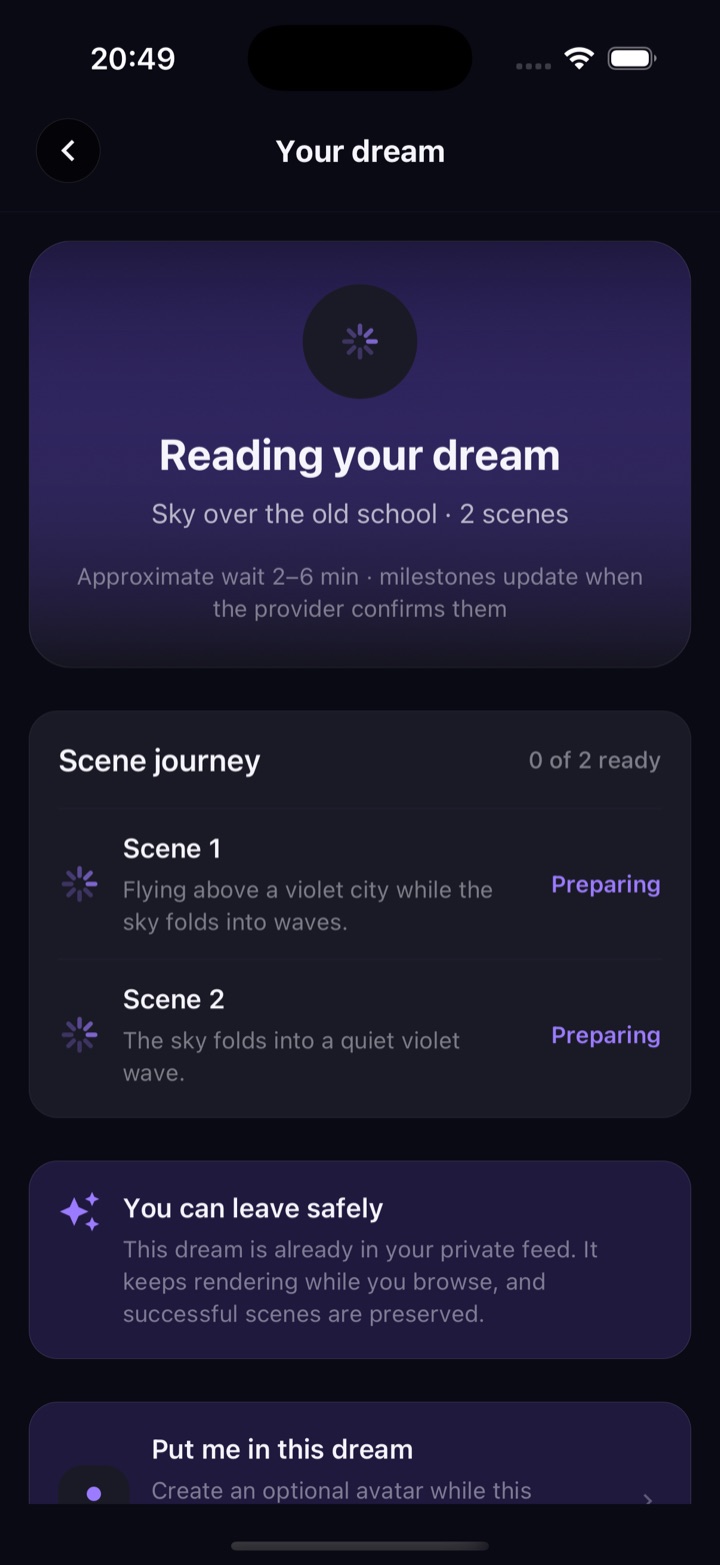
WatchDreams generation progress for a short dream video
Video generation shows its progress.

04 · Optionally create a video

Make a creative rendering of the dream.

A voice dream journal can begin with words alone. If you choose WatchDreams for a visual journal, continue from your reviewed description to generate a short AI video. Generation takes time and uses the app’s available allowance or purchases.

The result is an AI-created rendering of what you described. It is not a recording of your sleep or an explanation of your dream. Finished videos return to your private library so you can revisit them.

See capture, generation, and the private library

Need help describing a scene? Read the dream video prompt examples.

Your next remembered dream

Begin with a few words.

Download on the App Store

A private AI dream journal for iPhone and iPad.